A finance/payroll employee received a phishing email impersonating a trusted business service and entered credentials into a fraudulent Microsoft 365 authentication page. Suspicious authentication followed. The investigation identified unauthorized mailbox access and attacker-created rules intended to monitor or redirect finance-related correspondence.
The investigation expanded beyond the original alert to test for persistence, sensitive-email access, impersonation, additional compromised identities, endpoint execution, and attempted financial fraud.
Investigation Timeline
Two hours from delivery to monitored recovery.
The sequence preserves the case chronology while keeping user, IP, domain, and destination values anonymized.
Correlate the alert, affected user, rule operation, parameters, forwarding destination, authentication context, and historical baseline. External forwarding, finance-related keywords, and abnormal authentication increase confidence when considered together.
02 · TRACE INITIAL ACCESS
Work backward to the phishing email.
Use EmailEvents, EmailUrlInfo, and UrlClickEvents to establish delivery, recipient interaction, URL activity, and the timing relationship to suspicious authentication.
let affectedUser = "finance.user@lab.example";
EmailEvents
| where Timestamp > ago(7d)
| where RecipientEmailAddress =~ affectedUser
| project Timestamp, NetworkMessageId, SenderFromAddress, RecipientEmailAddress, Subject, DeliveryAction
| join kind=leftouter (UrlClickEvents | where AccountUpn =~ affectedUser | project ClickTime=Timestamp, NetworkMessageId, Url, IsClickedThrough) on NetworkMessageId
| order by Timestamp desc
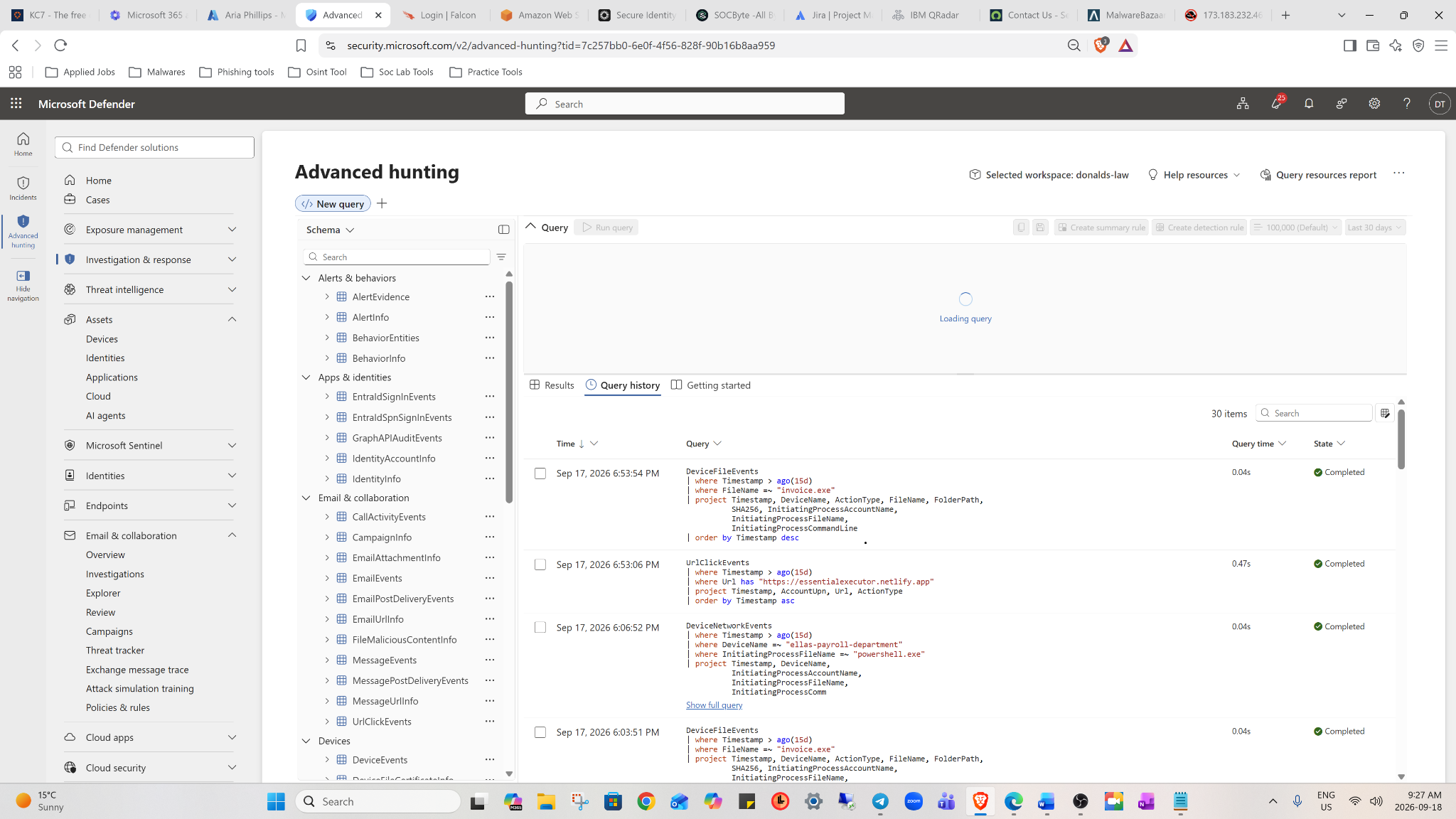
BEC hunting workspaceMicrosoft Defender Advanced Hunting used to review email, URL-click, file, and network activity while building the investigation timeline.03 · IDENTITY
Validate the account takeover in Entra ID.
Review IP, country, ASN, device, browser, MFA, Conditional Access, result, and session context. A foreign sign-in is not automatically impossible travel; VPN, travel, and known infrastructure must be excluded first.
Review forwarding addresses, delete and mark-as-read rules, finance keyword rules, mailbox-level forwarding, delegates, OAuth consent, application permissions, MFA methods, device registrations, and active sessions.
06 · COLLECTION & FRAUD
Distinguish takeover from attempted payment diversion.
Search for invoice, payment, bank, wire, ACH, remittance, vendor, and statement activity. Review outbound mail, recipients, replies, deleted messages, Reply-To changes, and Send/SendAs/SendOnBehalf events. Classify the outcome only as far as the evidence supports.
07 · BLAST RADIUS
Hunt across the tenant and associated endpoints.
Pivot on attacker infrastructure, phishing sender, URL/domain, recipients, OAuth application, forwarding destination, user agent, and ASN. Review associated DeviceLogonEvents, DeviceProcessEvents, DeviceNetworkEvents, and DeviceFileEvents to determine whether the incident remained cloud-only.
08 · CONTAIN, ERADICATE & VERIFY
Remove access and prove persistence is gone.
Disable the account temporarily, revoke sessions and refresh tokens, reset credentials, review authentication methods, remove malicious rules and forwarding, remove unauthorized delegates or OAuth consent, remediate phishing messages, and notify Finance. Recheck every persistence path and rerun the IOC hunt before restoring access.
Evidence-based root cause: Credential phishing was identified as the initial access mechanism, followed by successful unauthorized authentication and mailbox takeover. The available evidence did not conclusively distinguish credential reuse, MFA approval abuse, token theft, or an adversary-in-the-middle mechanism, so the report does not overstate that detail.